-
 Click to try
01 / Easy
Afterglow
Five huge lines of evening poetry: the one at the centre of the screen glows, the others blur and fade away.
Read the prompt
Build a scroll-scrubbed "afterglow" statement list with vanilla HTML, CSS and JS. Load GSAP 3.13 and ScrollTrigger from cdnjs.

Markup: a section with a faint background photo (sticky, 100vh, opacity 0.22, alt empty), a thin vertical progress rail (aria-hidden) with an inner span, and five <h2> lines, each very large (clamp 40px to 132px, weight 600, tight leading), at least 80vh tall with the text vertically centred. Without JS all lines are readable, sharp and evenly spaced.

Motion: for every line create its own ScrollTrigger timeline (trigger the line, start "top bottom", end "bottom top", scrub 0.5, no pin). Progress 0.5 is the line centre at the viewport centre. From 0 to 0.44: y from 60px (alternate the sign per line) to 0, opacity 0.14 to 1, filter blur 14px to 0, ease power2.out. Hold from 0.44 to 0.56. From 0.56 to 1: reverse to y -60px, opacity 0.14, blur 14px with power2.in. Make a second aria-hidden copy of the text in the accent colour, overlaid on the line, and fade its opacity 0 to 1 to 0 on the same timing so the accent passes from line to line. Scrub the rail span scaleY 0 to 1 over the whole section, and move the background photo yPercent -4 to 4.

Reduced motion: no animation, no rail, no blur. Cleanup: kill triggers, remove the overlay copies, clear inline styles.

Replace the photo and words with mine: background photo, five lines, accent colour.

(Optional shortcut: use the animate-anything skill recipe "afterglow".)
-
 Click to try
02 / Easy
Breadcrumbs
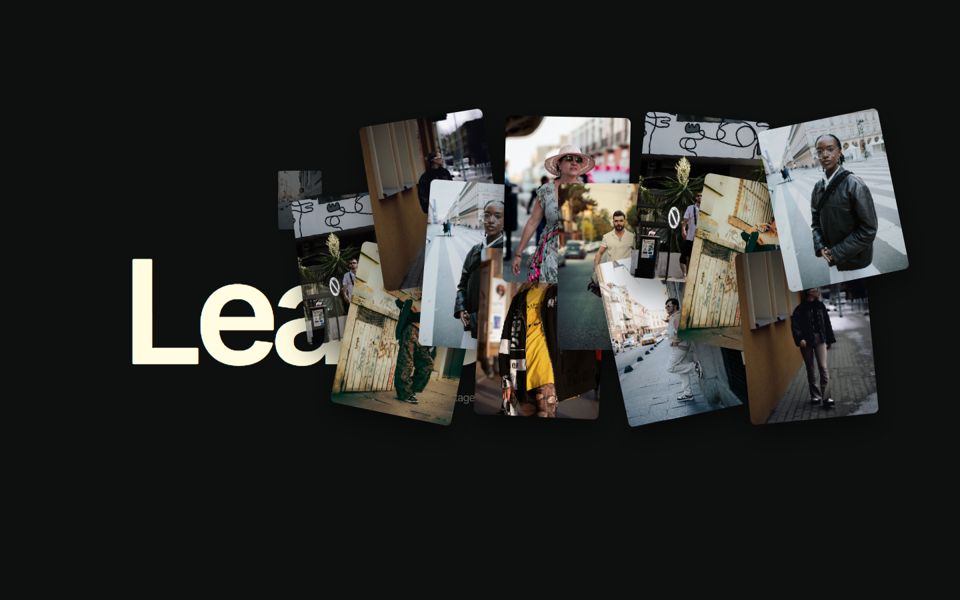
Move across the dark stage and the pointer leaves a trail of street photos that pop in, tilt, linger and shrink away.
Read the prompt
Build a mouse-move photo trail in vanilla HTML, CSS and JS with GSAP 3.13 core from cdnjs (no plugins).

Markup: a full-height dark section with a centred headline (z-index below the photos) and a hidden-when-live static gallery <ul> of 8 <img data-aa-crumb> with alt text. Static first: with JS off the gallery shows as a tidy grid.

Behaviour: create a pool of 14 absolutely positioned <img> (decorative, alt="", aria-hidden layer, pointer-events none) inside the stage, opacity 0, xPercent/yPercent -50. On pointermove (ignore pointerType touch) track the last drop point; when the pointer has travelled 110px from it, take the next pool img (cycle), kill its tweens, set its src to the next of the 8 photos, give it a higher z-index, place it at the pointer (stage-relative x/y) and run a timeline: fromTo opacity 0, scale 0.55, rotation random(-14,14)*1.8 to opacity 1, scale 1, rotation random(-14,14), 0.38s back.out(1.6); hold 0.55s; then scale 0 and opacity 0 over 0.45s power3.in. Reset the last point on pointerleave. For touch, pointerdown drops one photo at the tap.

Only animate transform and opacity. Reduced motion: no dropping, show the static gallery. Pause when the section is offscreen (IntersectionObserver). Return a cleanup that removes listeners, kills tweens and removes the pool.

Replace the photos and words with mine: headline, small eyebrow line, hint line, and 8 images with alt text.

Optional shortcut: the animate-anything skill recipe "breadcrumbs".
-
 Click to try
03 / Medium
Card Shark
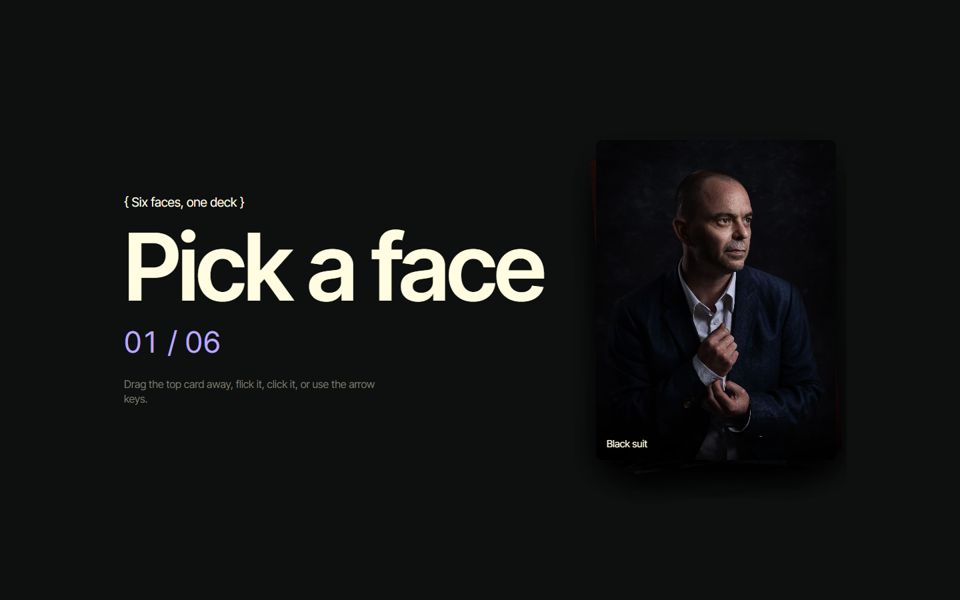
A fanned deck of portraits: drag the top card and let go to throw it away, or flick, click or tap the arrow keys, and it slips back under the pile.
Read the prompt
Build a draggable card stack in vanilla HTML, CSS and JS with GSAP 3.13 core from cdnjs. Do not use Draggable; use pointer events and gsap.quickTo / gsap.to.

Markup: a section with a heading, a counter element (aria-live polite, text "01 / 06"), a hint line, and a focusable stack (tabindex 0, role group, aria-label) containing 6 <figure> cards, each with an <img> (alt text, draggable false) and a figcaption. Static first: with JS off or reduced motion, show the cards as a plain grid and hide the counter.

Layout when live: cards absolutely stacked, 3:4 aspect, slot k has y = 9px * k, scale 1 - 0.035 * k, a small fan rotation per slot (0, -4, 3.5, -6.5, 5.5, -8 degrees), z-index descending.

Drag: pointerdown on the top card only, setPointerCapture, kill its tweens, create gsap.quickTo for x, y (0.3s power3) and rotation (0.4s power3, dx/width*30, clamped to +-22). Track smoothed velocity. On release: if travelled more than 120px, or speed above 0.8px/ms, throw the card along its drag direction (power2.in, 0.4 to 0.6s, rotate +-32) and move it to the end of the order while remaining cards animate up a slot (0.6s power3.out); after the throw, place it in the bottom slot and fade it in. Otherwise spring back with elastic.out(1, 0.55). A click with under 6px of movement throws right. ArrowLeft/ArrowRight (and Up/Down, Enter, Space) throw too. Update the counter to the top card's number each time. Cards use touch-action pan-y. Cleanup removes listeners and inline styles.

Replace the photos and words with mine: heading, hint, and 6 images with alt text and captions.

Optional shortcut: the animate-anything skill recipe "card-shark".
-
 Click to try
04 / Medium
Escalator
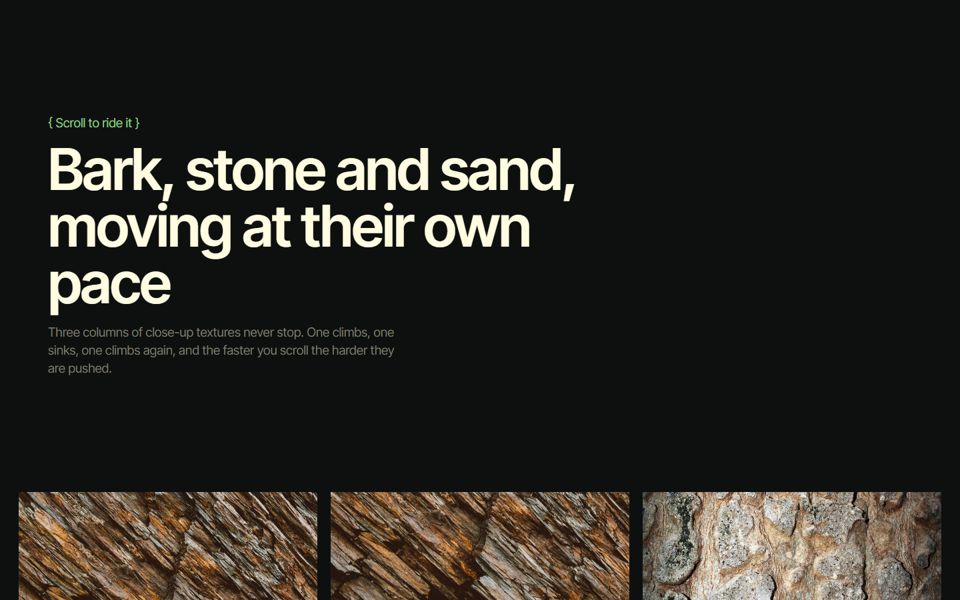
Three columns of texture photos ride past in opposite directions, and scrolling shoves them along faster.
Read the prompt
Build a three column infinite photo stage with vanilla HTML, CSS and JS, using GSAP 3.13 and ScrollTrigger from cdnjs.

Markup: a section with an intro block, a stage div, and an outro block (so the page can scroll). The stage holds a 3 column grid; each column is a ul with 5 li photos (img with alt text). Without JS or with reduced motion, show a tidy static 3 column grid, all photos visible, 4:5 each.

Motion: when live, set the stage to 100svh with overflow hidden. Position each li absolutely in its column with height about 36% of the stage minus a 1.6vh gap, at y = gsap.utils.wrap(-step, loop - step, i*step + pos) where step is item height plus gap and loop is item count times step. A gsap.ticker loop updates each column's pos by direction * speed * (26 px per second + boost) * dt. Directions are up, down, up; give the columns speed multipliers of 1, 0.82 and 1.18 so they drift out of sync. Create a ScrollTrigger with start 0 and end max, and in onUpdate set a target boost of getVelocity() * 0.45 (clamped to plus or minus 1600). Each tick, decay the target (times 0.002 to the power of dt) and ease the boost toward it, so scrolling pushes and releasing settles. Scrolling up reverses the columns. Pause the ticker when the stage is off screen. Recompute sizes on resize and ScrollTrigger refresh. Hover does nothing.

Reduced motion: no ticker, no ScrollTrigger, static grid. Return a cleanup that kills the ticker and triggers and clears every inline style.

Replace the photos and words with mine: up to 8 unique photos (reused across columns), the intro heading and paragraph, and the outro text.
-
 Click to try
05 / Easy
Fish Tank
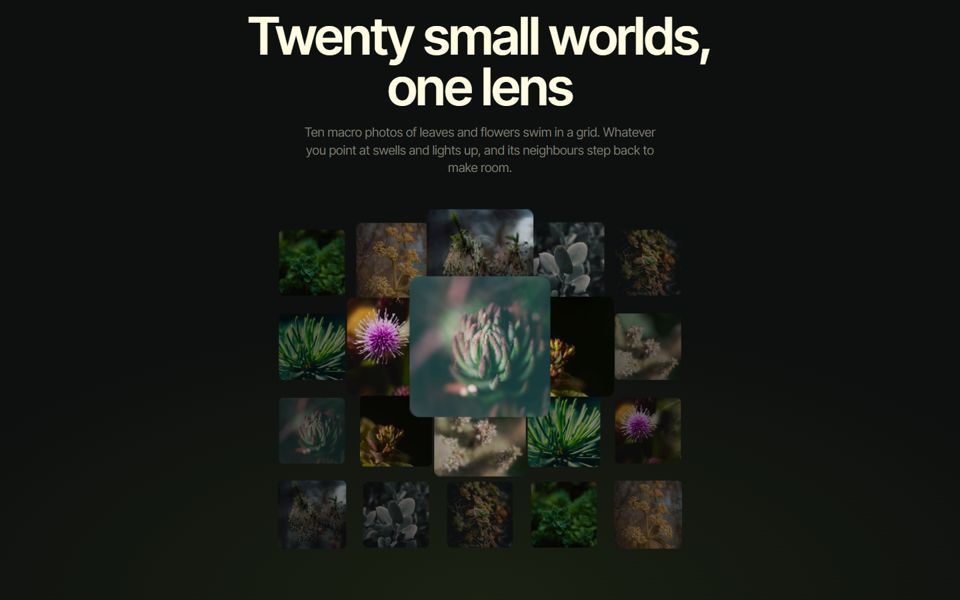
A grid of tiny plant photos swells and brightens under your pointer like a fisheye lens, while the tiles around it step back.
Read the prompt
Build a 5 by 4 grid of photo tiles with a pointer-driven fisheye effect, using vanilla HTML, CSS and JS with GSAP 3.13 from cdnjs.

Markup: a section with a heading and paragraph, then a ul (position relative, centred, CSS grid of 5 fixed-size square columns, 8 to 14px gap) with 20 li tiles, each an img with alt text. Use 10 unique photos reused across the 20 tiles. Without JS the grid is tidy and all images are visible.

Motion: on touch or hover:none devices and in reduced motion, do nothing. Otherwise, for each tile add a dark overlay span (opacity 0.35) and create gsap.quickTo functions for the tile's scale and the overlay's opacity (duration 0.55, ease power3). Cache each tile's centre from offsetLeft and offsetTop and the grid pitch. On pointermove over the section, convert the pointer to grid coordinates and, for every tile, find its distance d. Let R be 1.7 pitches. Lens strength g = smoothstep(1 - d/R). Scale = 1 + 0.9*g - 0.12*bump*(1-g), where bump is a sine bump that peaks between 0.6R and 2.1R, so the ring shrinks slightly. Overlay opacity = 0.35 + 0.22*bump - 0.4*g, clamped to 0 to 0.6. Set z-index to about g*100 so the biggest tile overlaps its neighbours. On pointerleave send every tile back to scale 1 and overlay 0.35. Re-measure on resize.

Only animate transform and opacity. Return a cleanup that removes listeners, overlays and inline styles.

Replace the photos and words with mine: 10 images with alt text, the heading and the paragraph.
-
 Click to try
06 / Medium
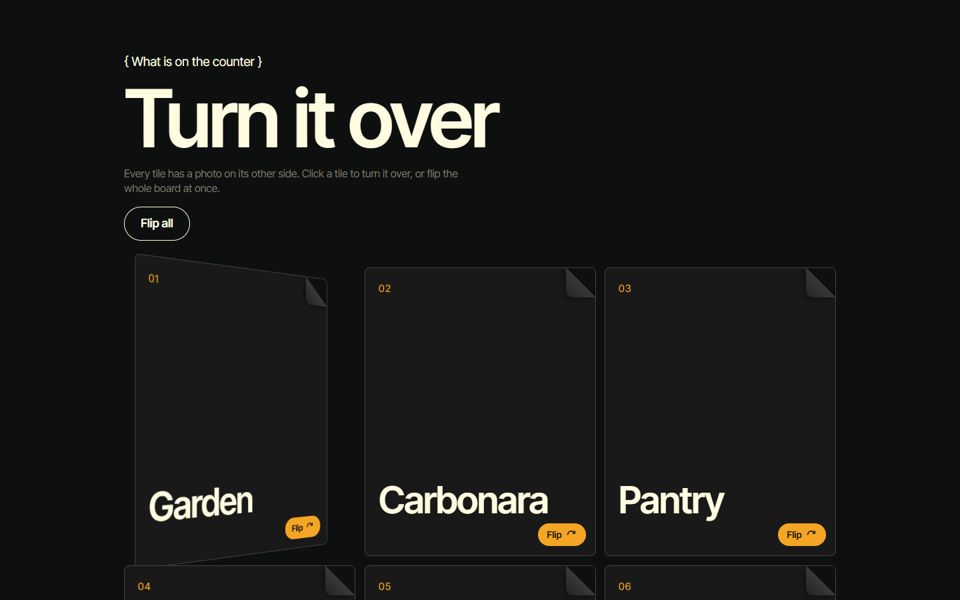
Flipbook Flicker
A grid of two-sided tiles: click one and it flips to a photo while its neighbours ripple, or flip the whole board in a wave.
Read the prompt
Build a flip-tile grid in vanilla HTML, CSS and JS with GSAP 3.13 core from cdnjs (no plugins). Markup: a section with a heading, a "Flip all" button (aria-pressed) and a 3 column by 2 row grid (2 columns on phones) of six <button type="button" aria-pressed="false"> tiles. Each tile has an inner wrapper with a front face (small number plus a large word) and a back face (photo with alt text and a caption). Static first: with JS off, show front and photo stacked so everything is readable. 3D: perspective 1100px on each tile, transform-style preserve-3d on the inner, both faces position absolute with backface-visibility hidden, back face pre-rotated rotateY(180deg). Motion: clicking or pressing Enter or Space on a tile toggles it with gsap.to(inner, {rotationY: 180 or 0, duration 0.85, ease "power3.inOut"}). Neighbouring tiles do a quick yoyo (y -10px, scale 1.025, rotation +-2deg, 0.2s, sine.out) delayed by 0.05s plus 0.11s per tile-width of distance from the clicked tile. "Flip all" flips every tile to the same state with a delay based on distance from the first tile; if all are flipped it flips them back. Keep aria-pressed in sync and set aria-hidden on the face that is not showing. Make the flip obvious: on every front face put a visible "Flip" pill (accent colour, small turn arrow icon) at the bottom right and a peeled-corner triangle at the top right that grows on hover or focus; on every back put a "Flip back" pill. On hover or keyboard focus (fine pointers only) the inner leans 16 degrees toward the flip (0.35s power2.out) and returns on leave. Until the visitor first flips a tile, every 4.2 seconds, while the grid is at least half visible, the first tile peeks: rotationY to 38 in 0.55s then back to 0 with elastic.out(1, 0.45). Hide the pills and corner when JS is off. Reduced motion: swap faces instantly, no movement. Cleanup removes listeners and inline transforms. Replace the photos and words with mine: heading, sub line, and for each tile a number, word, image with alt text and caption. Optional shortcut: the animate-anything skill recipe "flipbook-flicker". -
 Click to try
07 / Easy
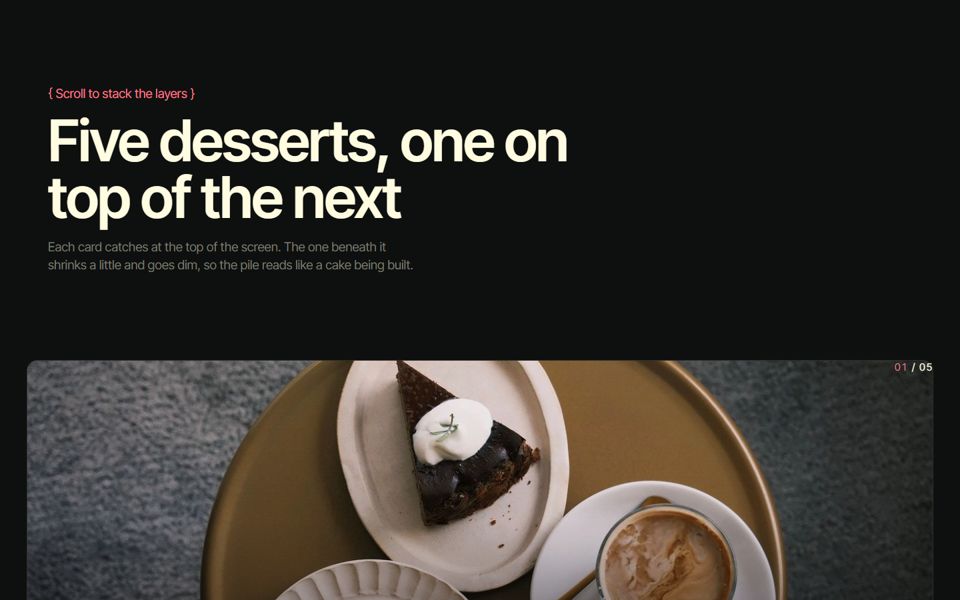
Layer Cake
Five dessert cards slide up and pin one on top of another while each one below sinks back and darkens, building a stack of layers.
Read the prompt
Build a sticky card stack with vanilla HTML, CSS and JS, using GSAP 3.13 and ScrollTrigger from cdnjs. Markup: a section with a stack div holding a progress p ("01 / 05" with two spans) and 5 article cards. Each card has an inner face containing a full-bleed img (object-fit cover), a bottom gradient, a kicker, an h3 title, one line of text, and an empty dim div. Give each card a CSS variable --i (0 to 4). Without JS or in reduced motion, the cards are a normal column with min-height 70svh and the counter is hidden. CSS when live (class added by JS): each card is position sticky, top calc(8svh + var(--i) * 14px), height 78svh, margin-bottom 12svh, z-index rising with --i. The face has transform-origin 50% 0. The counter is sticky at the top right. Motion: for every card except the last, create a ScrollTrigger on the NEXT card, start "top bottom", end "top <next card's computed sticky top>px" (function, invalidateOnRefresh), scrub 0.3, driving a timeline that scales the previous card's face to 0.92 and fades its dim layer to 0.4 opacity, ease none. A separate trigger per card at "top 60%" updates the counter text, padded to two digits, on enter and leave back. Return a cleanup that kills the triggers and clears inline styles. Replace the photos and words with mine: 5 photos with alt text, plus a kicker, title and one line for each card. -
 Click to try
08 / Medium
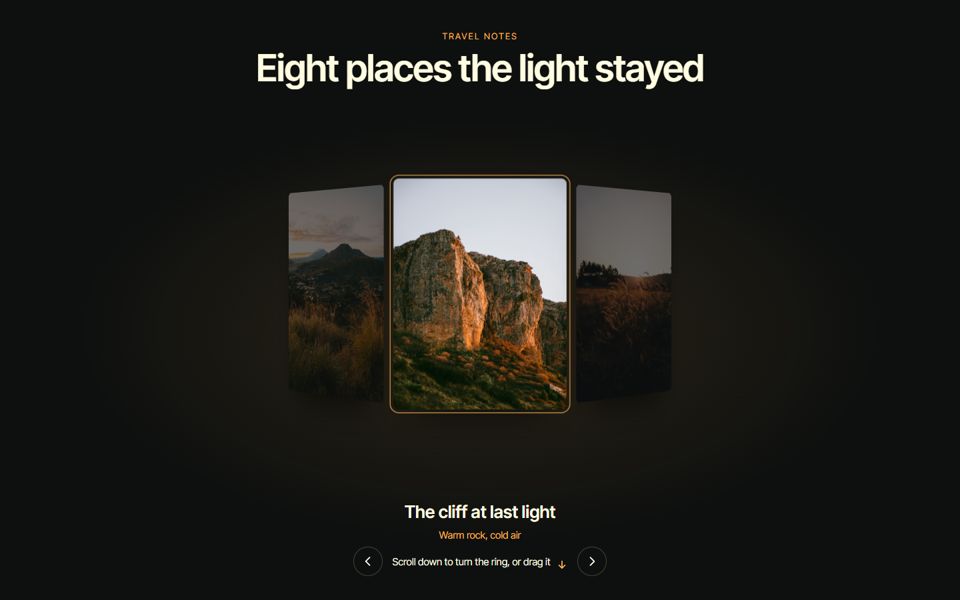
Lazy Susan
Eight travel photos circle on a 3D ring as you scroll, and the one facing you lights up with its caption.
Read the prompt
Build a pinned "lazy susan" photo carousel section with vanilla HTML, CSS and JS. Load GSAP 3.13 and ScrollTrigger from cdnjs.

Markup: a section with a heading, a .stage wrapper, one .ring wrapper holding 8 <figure> cards (img + figcaption with a title and a short subtitle), and an empty caption <p aria-hidden="true"> under the stage. Without JS the cards show as a plain responsive grid with visible captions.

Motion: add an is-ring class from JS. Stage gets perspective 1600px, ring gets transform-style preserve-3d, cards are absolutely centred, 3:4, width about 19vw (min 130px). Put each card on a circle: transform-origin "50% 50% -Rpx" with rotationY = i*45deg, where R = (cardWidth/2)/tan(PI/8)*1.12. Pin the section for 4 viewport heights and scrub a single tween (scrub 0.6, ease none) that turns the ring by 315deg in total, with snap to 1/7 so a card always rests at the front. Each frame, compute each card's angular distance to the front: cards beyond 60deg get a dark overlay up to 80 percent, the front card scales to 1.07 and shows an accent outline, and the caption text swaps with a 0.4s fade and 10px rise. Use backface-visibility hidden. On hover:hover pointer:fine devices, quickTo the ring rotationX/rotationY to at most 6deg following the pointer.

Make it work on phones and without a wheel: scroll stays the single source of truth, so a swipe, a button or an arrow key just moves window scroll inside the pin range. Under the caption add a row: a previous button, a hint line with a small bouncing down arrow (text depends on (pointer: coarse); hide it with a fade once progress passes 3 percent or the visitor swipes or clicks), and a next button (44px round buttons with chevron icons and aria-labels). On the stage use touch-action: pan-y, user-select none and preventDefault on dragstart. Pointer events: on pointerdown remember x and scrollY; on pointermove, once horizontal movement passes 8px and beats vertical, capture the pointer and call window.scrollTo(scrollY0 - dx * (stepPx / 150)), where stepPx = pinRange / (cards - 1); on release scroll smoothly to the nearest step. Buttons and ArrowLeft/ArrowRight (stage focusable, role group, aria-label) scroll one step. Set the ScrollTrigger snap to directional false so a one step move never overshoots to the next card.

Reduced motion: no pin, no spin, show the grid. Recompute R on ScrollTrigger refresh. Return a cleanup that kills the trigger and clears inline styles. Keep real figcaptions for screen readers.

Replace the photos and words with mine: heading, eyebrow, 8 images with alt text, 8 titles, 8 subtitles, accent colour.

(Optional shortcut: use the animate-anything skill recipe "lazy-susan".)
-
 Click to try
09 / Easy
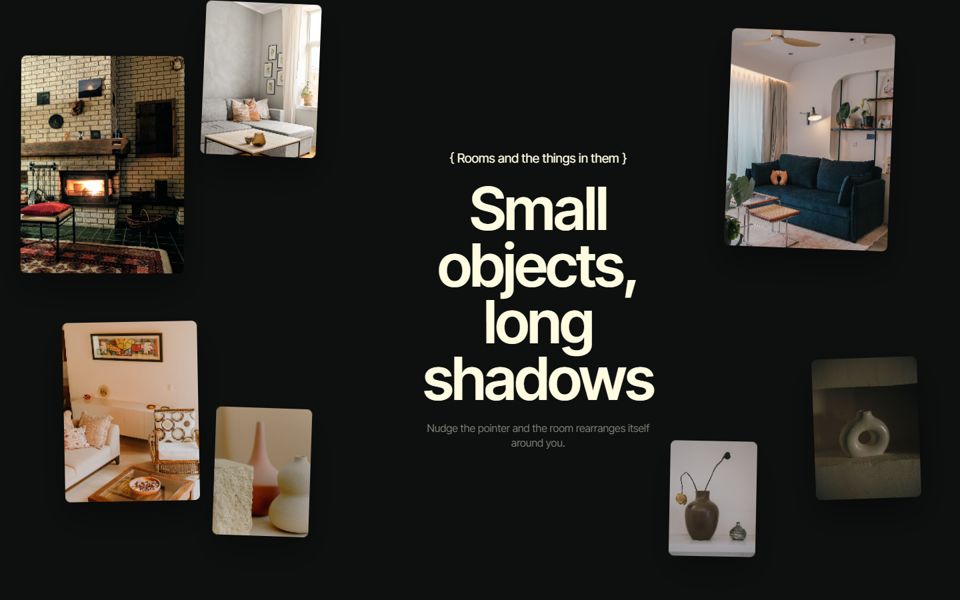
Moth Orbit
Seven photos hover around a headline, each drifting on its own slow loop and sliding against the pointer, the nearest ones furthest.
Read the prompt
Build a depth-parallax photo hero in vanilla HTML, CSS and JS with GSAP 3.13 core from cdnjs (no plugins).

Markup: a section with a centred headline, an eyebrow and a short sub line, plus 7 <figure data-aa-depth="..."> each holding an <img> with real alt text. Depths range 0.25 to 1; nearer figures are larger and sit higher in z-index, far ones are smaller and slightly dimmer. Position figures absolutely with percentages and vw widths (3:4 aspect, object-fit cover, rounded corners), keeping them off the headline. Static first: with JS off the layout is simply the photos around the text.

Motion: for each figure run an idle gsap.to loop on the figure itself: x random +-18px and y random +-22px (scaled by depth), rotation random +-3deg, duration random 5 to 9s, sine.inOut, repeat -1, yoyo, started at a random progress. Separately create gsap.quickTo for x and y on the inner img (duration 1, ease power3). On pointermove over the section (ignore touch) compute the pointer offset from the section centre as -1..1 and call quickTo with -offset * 70px * depth. On pointerleave return to 0. The headline never moves.

Touch devices ((hover: none)): idle drift only. Reduced motion: no motion at all. Pause idle tweens when offscreen. Return a cleanup that removes listeners, kills tweens and clears inline transforms.

Replace the photos and words with mine: headline, eyebrow, sub line, and 7 images with alt text.

Optional shortcut: the animate-anything skill recipe "moth-orbit".
-
 Click to try
10 / Medium
Peel Back
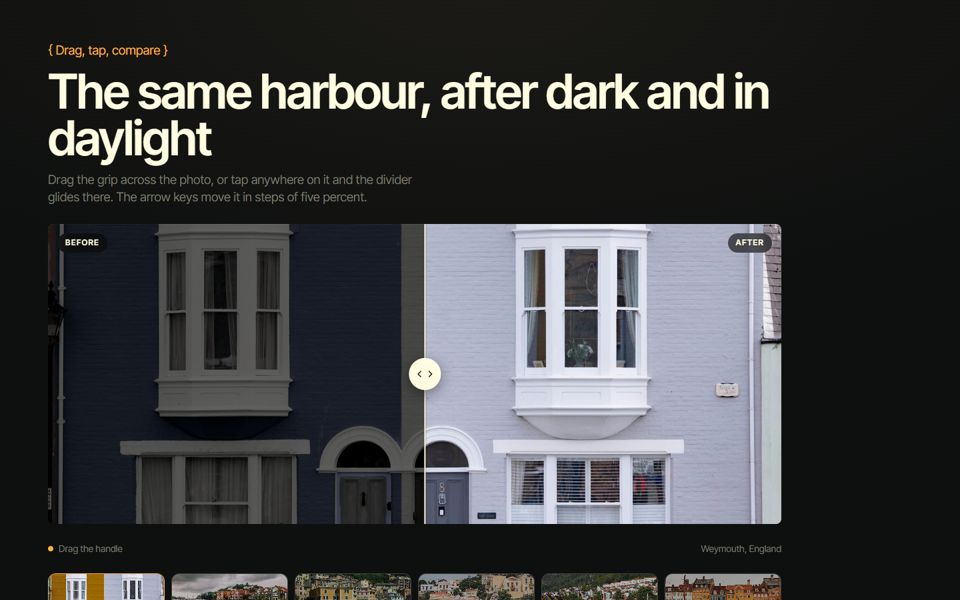
A harbour town at night sits under the same town by day, and you drag a grip across the photo to peel one into the other.
Read the prompt
Build a before and after image comparison with vanilla HTML, CSS and JS, using GSAP 3.13 and ScrollTrigger from cdnjs. Do not use Draggable; use pointer events. Markup: a stage div (3:2, rounded, overflow hidden) holding two absolutely positioned layers with identical images (object-fit cover). The bottom layer is the "after" in full colour. The top layer is the "before" and uses a CSS filter (saturate .2, brightness .42, contrast 1.2) or a second photo. Corner labels "Before" and "After". A handle div, full height, 48px wide, containing a 2px line and a 48px round grip with left and right chevron icons. A visible hint below says "Drag the handle". Motion: keep the split in a proxy object {p: 50}. On every change, gsap.set the top layer clipPath to inset(0 (100-p)% 0 0) and the handle x to p% of the stage width with xPercent -50. Pointerdown on the handle starts a drag with setPointerCapture and the divider follows the pointer through gsap.to(proxy, {p, duration 0.22, ease power3.out, overwrite true}). Set touch-action: pan-y on the stage so vertical scrolling still works on phones. A press that moves less than 5px on either side is a tap: glide to that point in 0.7s with power3.inOut. Once, when the stage is half visible (ScrollTrigger), sweep 50 to 35 to 65 to 50 (0.7s, 1.0s, 0.7s, power2.inOut) and cancel it on any touch. Accessibility: the handle gets role slider, tabindex 0, aria-valuemin 0, aria-valuemax 100, a live aria-valuenow and a label. ArrowLeft and ArrowRight move by 5, Home and End jump to 0 and 100, with a visible focus ring. Reduced motion: no sweep and no glides, but still draggable. Recompute on resize and ScrollTrigger refresh; return a cleanup that removes listeners, tweens and inline styles. Replace the photo and words with mine: the photo (or a before and after pair), the heading, the intro line and the two labels. -
 Click to try
11 / Easy
Pocket Photos
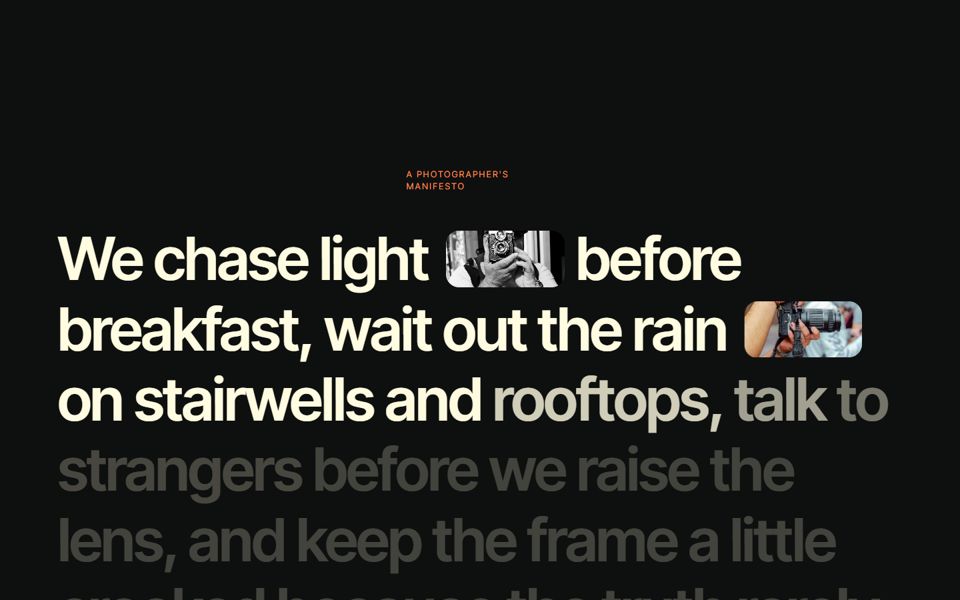
A manifesto sentence reads itself in as you scroll, and tiny photos unfold between its words.
Read the prompt
Build a scroll-scrubbed "pocket photos" sentence with vanilla HTML, CSS and JS. Load GSAP 3.13 and ScrollTrigger from cdnjs.

Markup: one <p> with a very large font (clamp 30px to 92px, weight 600, line-height 1.18, max-width about 17em). Wrap every word in <span data-word>. In 4 places, put a <span class="pocket"><img alt="..."></span> directly after a word with no space before it. The pocket is an inline-block, height 0.95em, overflow hidden, rounded; its img is 2em wide with a 0.3em left margin, object-fit cover. Without JS every word is full colour and every pocket is open.

Motion: with JS, set all words to opacity 0.22 and all pockets to width 0 (img scale 1.35, opacity 0). Create one GSAP timeline scrubbed by ScrollTrigger on the paragraph (start "top 85%", end "bottom 40%", scrub 0.5, no pin, invalidateOnRefresh). Lay the words and pockets out in reading order, each starting at i/(count-1) of the timeline. A word tweens to opacity 1 over 0.1 of the timeline, ease none. A pocket tweens its width to 2.3em in pixels (calculated from the computed font-size) and its image to scale 1 and opacity 1 over 0.25, ease power3.out.

Reduced motion: skip the timeline, show the finished sentence. Return a cleanup that kills the trigger and clears inline styles. Keep alt text on every photo.

Replace the photos and words with mine: the sentence (split into words), where each photo goes, 4 images with alt text, and the accent colour for the small label.

(Optional shortcut: use the animate-anything skill recipe "pocket-photos".)
-
 Click to try
12 / Easy
Rubber Type
A huge headline stretches tall and leans toward your pointer, letter by letter, then breathes with a slow wave when you let go.
Read the prompt
Build a huge elastic headline with vanilla HTML, CSS and JS and GSAP 3.13 core from cdnjs (no plugins). Markup: an h2 with aria-label set to the text ("Stay elastic") and plain text inside, a hint paragraph, and a strip of 3 small photos below. In JS split the text into word spans (inline-block, nowrap) and letter spans (inline-block, transform-origin 50% 100%, aria-hidden). Font around 17vw, weight 800, and leave empty room above the headline for the stretch. Motion: for every letter create gsap.quickTo for scaleY, scaleX and skewX (duration 0.45, ease power3). Never animate the compound scale. Cache each letter centre from offsetLeft and offsetTop. A gsap.ticker callback computes, for the pointer position, d = hypot(dx, 0.55*dy) and g = smoothstep(1 - d/R) with R = 1.5 font sizes. scaleY = 1 + 0.9*g, scaleX = 1 - 0.16*g, skewX = -clamp(dx/(0.6R),-1,1)*g*14 degrees. Pointer is tracked on the section for mouse. For touch use pointerdown, pointermove and pointerup on the heading with touch-action pan-y. With no pointer, move a ghost pointer across the line (one pass about every 6s) at half strength so the word breathes. The three photos rise with scaleY up to 1.3 using the same wave. Pause the ticker off screen. Hint: "Move your pointer over the word" or "Drag a finger across the word" on touch. Reduced motion: leave the headline as static text. Cleanup restores the original text and removes listeners. Replace the photos and words with mine: the headline (2 to 3 short words), 3 photos with alt text, and the hint. -
 Click to try
13 / Hard
Slingshot Rail
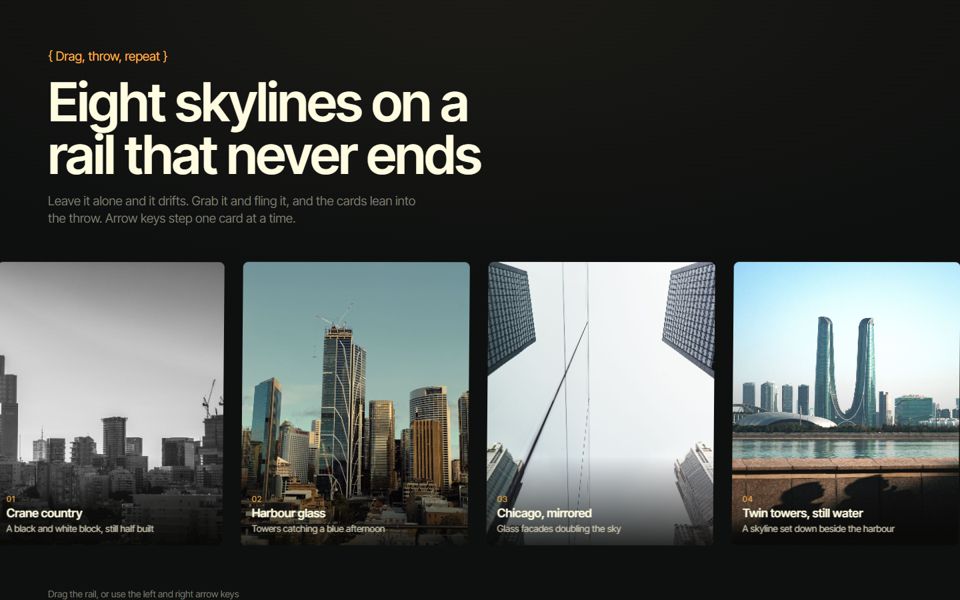
A rail of skyline photos drifts on its own, then you fling it and the cards lean into the throw before settling back.
Read the prompt
Build an infinite horizontal photo rail with vanilla HTML, CSS and JS, using GSAP 3.13 and ScrollTrigger from cdnjs. Do not use Draggable or Observer; use pointer events.

Markup: a section with a heading and paragraph, then a div (tabindex 0, role region, aria-label) containing a ul of 8 li cards. Each li holds a figure with an img and a figcaption (title and one line). Fixed card size via CSS, 4:5 ratio, 14 to 28px gap. Without JS the div is a native scroll-snap strip.

Motion: position every card absolutely and place it at x = gsap.utils.wrap(-step, loop - step, i*step - pos), where step is card width plus gap and loop is card count times step. Clone the set (aria-hidden, no focus) if the viewport needs more cards. A gsap.ticker loop adds state.v * dt to pos. Idle state.v is 36 px per second. On pointerdown capture the pointer and follow it directly, keeping a smoothed velocity. On release set state.v to that velocity (clamped to 6000) and gsap.to it back to 36 over 1.7s with power3.out. Horizontal wheel or shift plus wheel adds an impulse (delta * 4) the same way; vertical wheel is left to the page. ArrowLeft and ArrowRight tween pos to the next card boundary in 0.75s, power3.inOut. Each frame, measure the real velocity of pos, smooth it, and set each figure's skewX (max 11 degrees, opposite to travel) and rotation (max 4 degrees) with transform-origin bottom centre.

Pause the ticker when the section is off screen. Recompute sizes on resize and ScrollTrigger refresh. Reduced motion: no drift, no lean, keep the native scrollable strip. Return a cleanup that removes clones, listeners, tweens and inline styles.

Replace the photos and words with mine: 8 images, a title and one line for each, the section heading and the intro paragraph.
-
 Click to try
14 / Medium
Tape Deck
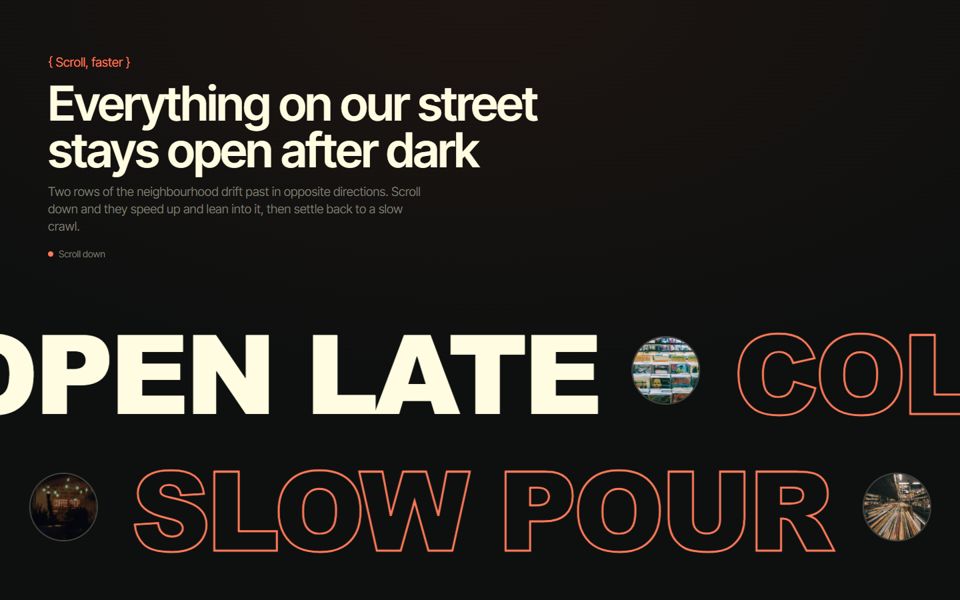
Two rows of huge outlined and solid words slide past in opposite directions, then lean and speed up when you scroll.
Read the prompt
Build a two row typographic ticker with vanilla HTML, CSS and JS, using GSAP 3.13 and ScrollTrigger from cdnjs. Markup: a section with a heading, then two div rows (overflow hidden), each holding a ul lane of li items: big words (Open late, Cold brew, Record store, Night market on row one; Slow pour, Last call, Fresh pressed, Midnight snacks on row two) with a round photo chip li (0.62em wide) after every one or two words. Words are uppercase, font Arial Black, size clamp(60px, 11.5vw, 190px); alternate solid fill and transparent fill with -webkit-text-stroke in the accent colour. Each li has a right margin of 0.3em. Without JS the lanes wrap and everything is visible. Motion: set each lane to nowrap, measure the width of one copy of its items (including the last margin), clone the items (aria-hidden, empty alt) until the lane covers the row width plus one copy, and place the lane with gsap.set x = gsap.utils.wrap(-copyWidth, 0)(pos). A gsap.ticker loop advances pos by direction * (70 px/s + 0.3 * |scroll velocity|) * dt, row one direction -1, row two +1 at 82 percent speed. Read the velocity with ScrollTrigger.create({trigger: section, start: "top bottom", end: "bottom top"}).getVelocity(), smooth it (lerp 6 per second), and set each lane's skewX with gsap.quickTo (0.6s, power3.out) to clamp(-velocity * 0.006, -14, 14) so it settles back to 0. Pause the ticker while the section is off screen. Re-measure on resize, ScrollTrigger refresh and when fonts load. Reduced motion: no loop, no clones, one copy of the words wrapping naturally and fully visible. Return a cleanup that removes clones, ticker, listeners and inline styles. Add a visible "Scroll down" hint. Replace the words and photos with mine: 8 words or short phrases, 6 square photos, the heading and the intro line. -
 Click to try
15 / Medium
Tidy Up
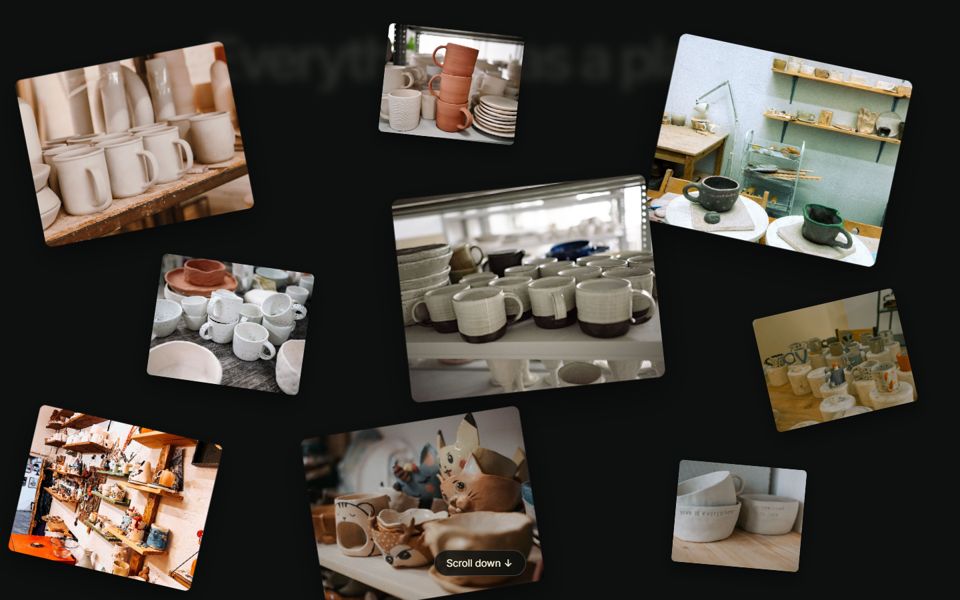
Nine photos lie scattered across a messy desk, and scrolling sweeps them one by one into a neat three by three grid.
Read the prompt
Build a pinned scroll section with vanilla HTML, CSS and JS, using GSAP 3.13 and ScrollTrigger from cdnjs. Markup: a section containing an h2 headline, a 3 column CSS grid of 9 cells (gap 14px, 6px on phones, cells aspect 5/4, 3/4 on phones), a caption p and a hint p reading "Scroll down". Each cell holds a figure with an img (object-fit cover). Each figure has a hand-written seed in data attributes: data-x and data-y (centre as % of the section), data-r (rotation between -14 and 14) and data-s (scale 0.75 to 1.5). Never use Math.random. Without JS, or with prefers-reduced-motion, show the tidy grid, no pin, everything visible. Motion: when live, make the section min-height 100svh and overflow hidden. For each figure use gsap.fromTo from {x, y computed from the figure's cell rect to the data-x/data-y point, rotation data-r, scale data-s} to {x 0, y 0, rotation 0, scale 1}, duration 0.8, power3.inOut, started 0.035s apart. Use function-based values so they are measured from live rects. Headline goes from opacity 0.12 and blur(7px) to opacity 1, blur 0. The hint fades out in the first 12 percent; the caption fades in from y 16 at the end. Drive one timeline with ScrollTrigger: pin the section, start top top, end +=160% of the viewport height, scrub 0.6, invalidateOnRefresh true, so a resize recomputes positions. Return a cleanup that kills the trigger and timeline and clears inline styles. Replace the photos and words with mine: 9 photos with alt text, the headline, the caption word, and the hint text. -
 Click to try
16 / Medium
Torchlight
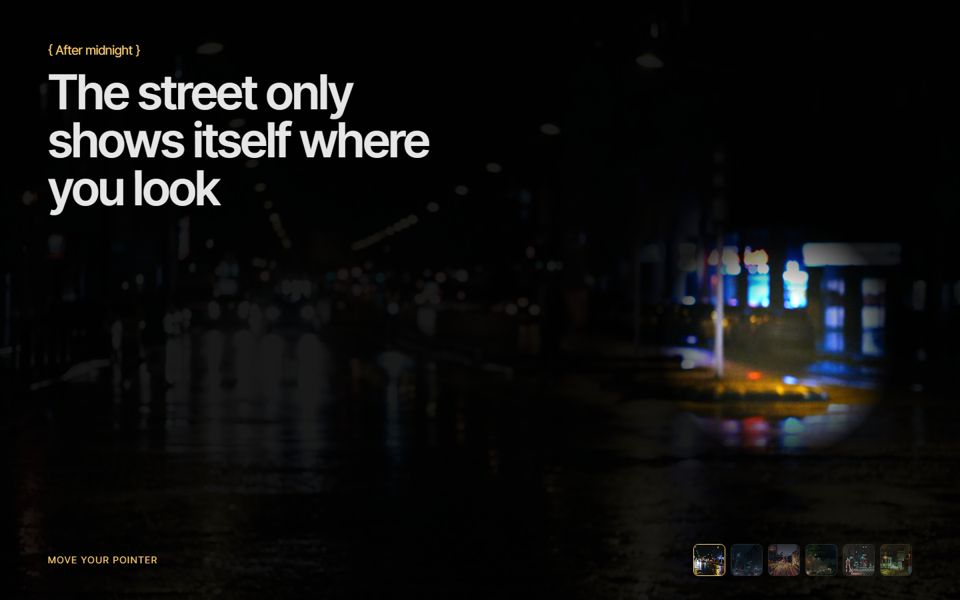
A night street sits almost black until a soft circle of light follows your pointer or finger and reveals it in full colour.
Read the prompt
Build a full-viewport "torchlight" hero with vanilla HTML, CSS and JS and GSAP 3.13 core from cdnjs (no plugins). Markup: a section with a stage div (position absolute, inset 0, touch-action none) holding two identical full-bleed img elements (object-fit cover): a dark one (filter brightness(.1) saturate(.5)) and a bright one (brightness(1.6)) that is aria-hidden. Put the heading, a hint paragraph and optional thumbnail buttons outside the stage so touch can still scroll the page. Light: on the bright image use mask-image: radial-gradient(circle var(--r) at var(--x) var(--y), #000 0%, #000 38%, rgba(0,0,0,.55) 66%, transparent 100%) (with the -webkit- prefix). Keep a proxy {x,y,r}. A gsap.ticker callback lerps x and y toward a target with k = 1 - exp(-9*dt) and writes --x, --y, --r on the stage. r is 180px (min of 180 and 42% of width), animated from 0 on load over 1.1s power3.out, and grows 18% while pressed. Pointermove (mouse) or pointerdown plus pointermove (touch, with setPointerCapture) sets the target. With no input the target follows a slow lissajous path: x = w*(0.5+0.32*sin(t)), y = h*(0.5+0.28*sin(1.37t+1.9)), t = seconds*0.35. Resume wandering 2.4s after the pointer leaves or lifts. Stop the ticker when off screen. Hint text: "Move your pointer", or "Drag a finger" on hover:none devices; keep it visible. Reduced motion: no listeners or ticker, light fixed at the centre with a larger radius. Return a cleanup removing listeners, ticker and CSS variables. Replace the photos and words with mine: the main night photo (one file used twice), 4 to 6 alternative photos, the heading and the hint. -
 Click to try
17 / Medium
Venetian
Four full-screen seasons are pinned in a stack, and each scroll opens the next one through six staggered slats like a blind.
Read the prompt
Build a pinned stack of 4 full-bleed panels with vanilla HTML, CSS and JS, using GSAP 3.13 and ScrollTrigger from cdnjs.

Markup: a section with an intro block, a stage div, and an outro block. The stage holds 4 article panels, each with a background img (object-fit cover), a kicker, a big h3 title and one line of text, plus a small inset photo and a nav of 4 dot buttons with aria-labels. Without JS or in reduced motion, the panels stack as normal blocks (min-height 80svh) with everything visible and the dots hidden.

Motion: when live, set the stage to 100svh, stack the panels absolutely with rising z-index, and pin the stage with ScrollTrigger (start top top, end +=100vh per transition, scrub 0.6, invalidateOnRefresh). Build one timeline of one unit per transition. Panels 2 to 4 start hidden with clip-path polygon built from 6 horizontal slats (24 points, each slat a rectangle traced down the left edge). Tween six proxy numbers 0 to 1 (duration 0.42, power2.inOut, 0.07 apart) so each slat opens from its own centre line, and rebuild the polygon in onUpdate; when all are 1 use a plain rectangle. While the slats open, scale the old panel to 0.93 (0.9, power1.inOut) and fade its text out first; fade the new text in from y 36 after the slats are mostly open. Dots mark the nearest panel with aria-current and scroll to it when clicked.

Return a cleanup that kills the trigger and timeline and clears all inline styles.

Replace the photos and words with mine: 4 background photos, 4 inset photos, a kicker, title and one line for each, and the intro and outro text.
-
 Click to try
18 / Medium
Window Seat
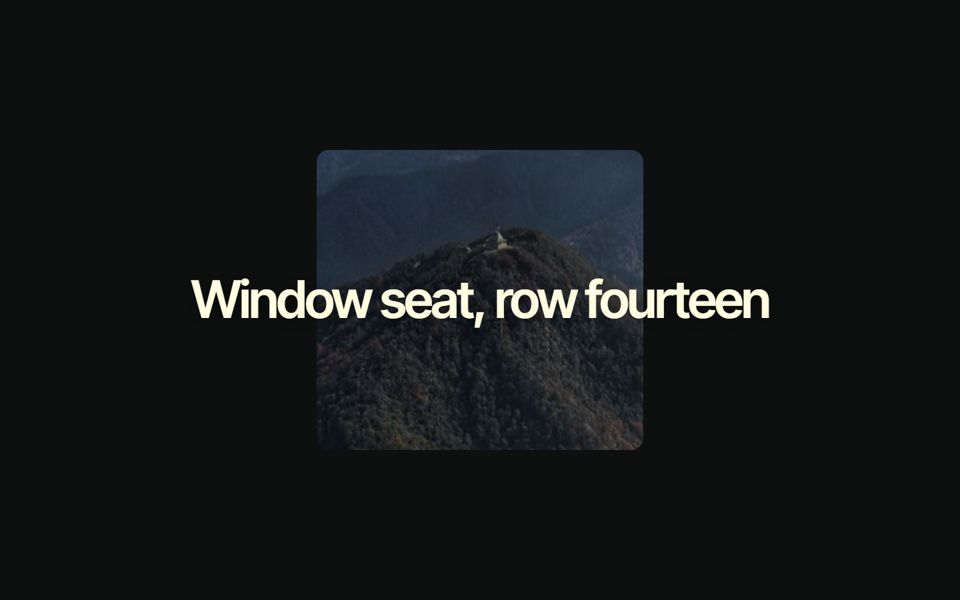
A small framed aerial photo opens to full screen while the headline splits in two to reveal a caption.
Read the prompt
Build a pinned "window seat" hero with vanilla HTML, CSS and JS. Load GSAP 3.13 and ScrollTrigger from cdnjs.

Markup: a section containing an <h2> split into two spans (left half, right half), a frame div holding a landscape photo plus an empty scrim div (aria-hidden), and a caption div (small uppercase eyebrow plus one sentence). Without JS, stack them: headline, rounded 16:9 photo, caption.

Motion: add an is-live class from JS. The section becomes 100vh, dark, overflow hidden. The frame fills it (position absolute, inset 0) and is shown through clip-path. The headline is centred above it, nowrap, huge (up to 150px), with a soft text shadow. Pin the section for 2 viewport heights with scrub 0.6 and one timeline. Frame clip-path: from inset(iy ix iy ix round 18px), where the window is about 34 percent of the viewport width (max 520px, wider on phones) and 1.2 times as tall (max half the height), to inset(0 0 0 0 round 0), duration 0.85, ease power2.inOut, computed in pixels and recalculated on refresh. The photo scales 1.4 to 1 over the same span. Over 0 to 0.5 the left half moves xPercent -130 and the right half 130 while opacity goes to 0 (power2.in). From 0.45 the scrim fades to 1, and from 0.5 the caption fades in and rises from 30px to 0. Hold the end.

Reduced motion: no pin, show the stacked layout. Cleanup: kill the trigger, clear inline styles, remove the class.

Replace the photo and words with mine: the two headline halves, the photo with alt text, the eyebrow and caption, the accent colour.

(Optional shortcut: use the animate-anything skill recipe "window-seat".)